


Your company has invested in CargoWise. Employees have access, departments are working in the system, and shipments are being processed every day.
But here’s a question worth asking: Are your teams actually using CargoWise as effectively as they could?
Some employees may log in regularly but create very few transactions. Others may depend on manual processes even when relevant CargoWise modules are available. One branch might use the system extensively, while another shows limited activity.
These differences aren’t always visible during daily operations.
The CargoWise user activity dashboard helps freight forwarding managers understand how employees interact with CargoWise, which modules receive the most activity, and where further investigation or training may be needed.
More importantly, it helps distinguish system access from meaningful system usage.
Logging into CargoWise Doesn’t Always Mean Using it Effectively
Imagine two employees working in the same freight forwarding department.
One logs into CargoWise several times throughout the day but creates relatively few transactions. Another logs in less frequently yet completes a substantial amount of transaction-based work.
Which employee is using CargoWise more efficiently?
You can’t determine that from login counts alone.
Their responsibilities may differ. One might spend more time reviewing records, resolving exceptions, or coordinating shipments, while the other primarily creates transactions.
That’s why CargoWise user activity analysis needs two perspectives: how employees access the system and what transaction activity takes place.
A dashboard that combines these views gives management a stronger starting point for evaluating system adoption.
Two Views that Reveal How Your Teams Use CargoWise
WiseBI’s User Activity Dashboard separates activity into two reporting views.
Transaction Creation: What Work is Being Recorded?
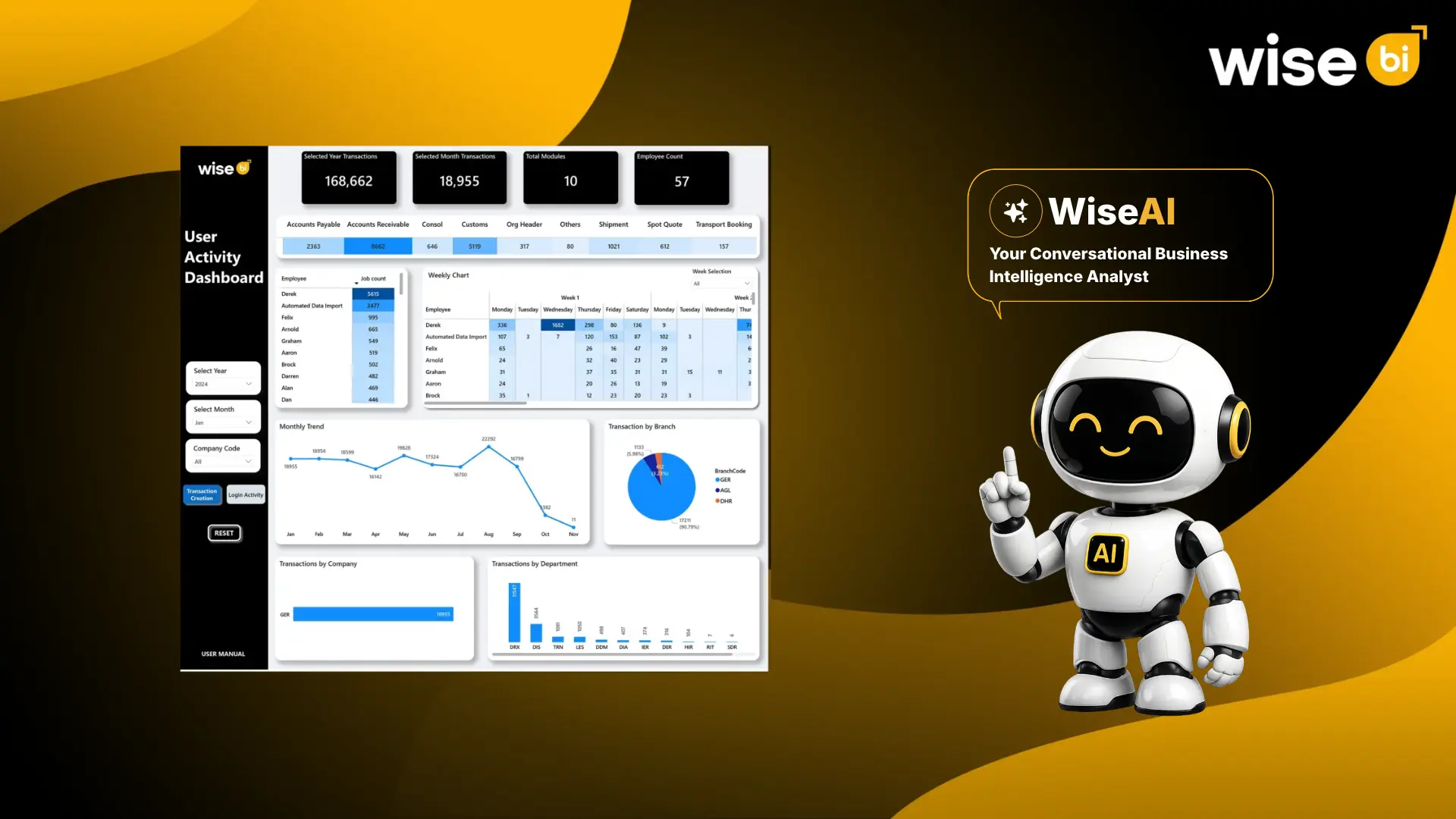
The Transaction Creation view shows how transaction activity is distributed across employees, modules, companies, branches, and departments.
It includes transaction totals for the selected year and month, module counts, employee counts, and monthly transaction trends.
Managers can also examine activity across CargoWise-related modules such as:
- Accounts Payable and Accounts Receivable
- Consolidation
- Customs
- Shipment
- Spot Quote
- Transport Booking
For example, suppose the Accounts Receivable module records substantially more transactions than Spot Quote.
That difference alone doesn’t mean the quoting team is underusing CargoWise. Transaction frequency depends on business volume, job responsibilities, and the nature of each workflow.
However, it gives management a reason to investigate whether the observed usage matches expected business activity.
Login Activity: How are Employees Accessing the System?
The Login Activity view focuses on system access patterns.
It includes login counts, active duration in minutes, employee counts, and selectable activity measures such as mouse-click counts.
Managers can review these measures across employees, weeks, months, companies, branches, and departments.
This helps identify differences in system access and changes in activity over time.
For instance, an unexpected decline in departmental logins may prompt questions about staffing, changes in workload, access issues, or whether employees are completing work through another process.
The dashboard reveals the pattern. Management needs additional context to understand the reason.
Where could CargoWise Features be Underused?
One of the most useful applications of a user activity dashboard is identifying possible gaps in system adoption.
CargoWise supports multiple freight forwarding workflows, but having access to a module doesn’t necessarily mean employees use it consistently.
Consider a company where shipment-related transaction activity is strong, but transport booking activity appears unusually low.
Management could investigate several possibilities.
Perhaps the team handles few transport bookings during the selected period. Maybe another department manages those activities. Or employees may be using an alternative workflow.
The important point is that low transaction activity should trigger a question, not an immediate conclusion.
To identify underused features, compare actual activity with expected usage based on business requirements.
For example, if the company expects its sales team to create spot quotes in CargoWise, compare quote-related activity with the number of relevant quotation requests.
This provides a more meaningful adoption assessment than simply ranking modules by transaction volume.
How can User Activity Reveal Training Gaps?
Training needs don’t always become obvious when employees complete their assigned work.
A team may continue relying on familiar processes because it hasn’t fully adopted the available system workflows.
User activity patterns can help management decide where to investigate.
| Dashboard observation | Possible explanation | What management should check |
| Low activity in an expected module | Limited adoption or low business demand | Whether the workflow should be used more frequently |
| Significant differences between employees | Different responsibilities or levels of familiarity | Role requirements and process consistency |
| Declining activity after a system change | Workflow disruption or reduced demand | User feedback and recent process changes |
| Frequent access with limited transaction creation | Review-heavy responsibilities or workflow difficulties | The type of work being performed |
| Uneven activity across branches | Different workloads or adoption practices | Branch processes and training requirements |
These observations can guide conversations with employees and department heads.
For example, if a team reports difficulty completing a particular workflow, targeted training may be more useful than repeating a general CargoWise introduction.
Training should address the actual processes employees need to perform.
What can Weekly and Monthly Activity Trends Tell Managers?
Daily activity provides a snapshot. Weekly and monthly trends reveal whether usage patterns are changing.
WiseBI’s dashboard includes employee-level weekly activity and monthly trend charts for both transaction creation and login activity.
These views can help management identify:
- Changes in workload: A sustained increase in transaction activity may reflect growing business demand or changes in how work is recorded.
- Adoption after training: Managers can compare activity before and after a training program to see whether relevant workflows are being used more consistently.
- Branch-level differences: Comparing activity across branches can reveal variations that deserve further investigation.
- Unexpected declines: A sudden drop in login or transaction activity may indicate a reporting issue, reduced business volume, system access changes, or another operational factor.
Before concluding, managers should verify that reporting periods are complete and that employee roles and transaction definitions remain comparable.
An incomplete month, for example, should not be treated as evidence of declining adoption.
How should Freight Forwarders Evaluate CargoWise User Efficiency?
Efficiency isn’t simply the number of transactions an employee creates or the amount of time spent logged into CargoWise.
A better evaluation considers activity alongside work quality and business requirements.
Suppose one operations employee creates 100 transactions, while another creates 60.
The first employee isn’t automatically more productive.
The second may be managing more complex shipments, handling exceptions, or completing tasks that require fewer transactions.
Managers should therefore evaluate user activity alongside relevant operational measures, such as job completion, documentation accuracy, process compliance, and service performance.
The purpose is to understand whether employees have the tools, training, and workflows they need to complete their responsibilities effectively. User activity data is most valuable when used to improve processes rather than judge individuals based on isolated numbers.
A Practical Approach to Improving CargoWise Adoption
Freight forwarding companies can turn activity reporting into a structured improvement process.
Start by identifying which CargoWise modules and workflows each department is expected to use.
Next, review transaction creation and login activity across relevant teams.
Compare the results with actual business requirements, taking into account employee roles, shipment volumes, and departmental responsibilities.
Where differences appear, speak with the employees involved to understand their experience.
If the issue relates to unfamiliarity with a workflow, arrange focused training. If the process itself creates unnecessary work, review the workflow before expecting greater adoption.
Finally, monitor subsequent activity to see whether the change has improved usage.
This creates a continuous feedback process instead of treating software training as a one-time activity.
How WiseBI and WiseAI Support CargoWise User Activity Analysis?
WiseBI’s User Activity Dashboard gives freight forwarding management a consolidated view of CargoWise transaction creation and login activity.
Its reporting views include employee-level activity, transactions by module, weekly patterns, monthly trends, and comparisons across companies, branches, and departments.
Managers can use these views to investigate adoption differences, review changes in system activity, and identify areas that may benefit from additional training or workflow improvements.
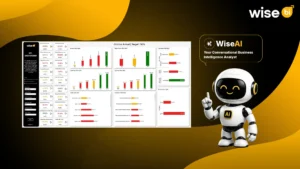
WiseBI also offers WiseAI, a data intelligence AI assistant that allows users to explore connected business data using natural-language questions.
For example, managers could ask:
- Which departments recorded the lowest transaction activity this month?
- How has CargoWise login activity changed over the past three months?
- Which branches show the largest differences in module usage?
With the relevant data available, WiseAI can help users investigate these questions, generate reporting views, and explore activity trends without manually working through multiple filters and generate the dashboard view with suitable charts. Explore more about WiseAI.
Conclusion
Getting more value from CargoWise isn’t necessarily about increasing login counts or encouraging employees to create more transactions.
It’s about making sure teams use the right workflows consistently and have the knowledge needed to complete their work effectively.
User activity dashboards provide the visibility to begin that assessment.
By examining login patterns, transaction creation, module usage, and departmental differences, management can identify where further investigation is needed. When combined with employee feedback, training, and operational performance, these insights can help businesses improve how CargoWise supports everyday freight forwarding activities.
Want to understand how your teams are using CargoWise across departments and branches?
Book a free demo with WiseBI to explore User Activity Dashboards and WiseAI conversational BI for your freight forwarding business.